
Easy does it.
Your 80/20 training balance.
One playful track. Zero overthinking.
 Free · No account · iOS 17+
Explore an example week in the app.
Mostly easy.
Sometimes hard.
It’s easy to make every workout a little too hard. Zonometry makes your training mix obvious, so you can see the bigger picture.
A simple starting point, with targets you can make your own.
Your training. Your balance. At a glance.
Connect Apple Health. See your balance. Tap a workout when you want the details.
No feed. No account. No dashboard homework. Just your training, made a little more enjoyable.
The thinking behind the track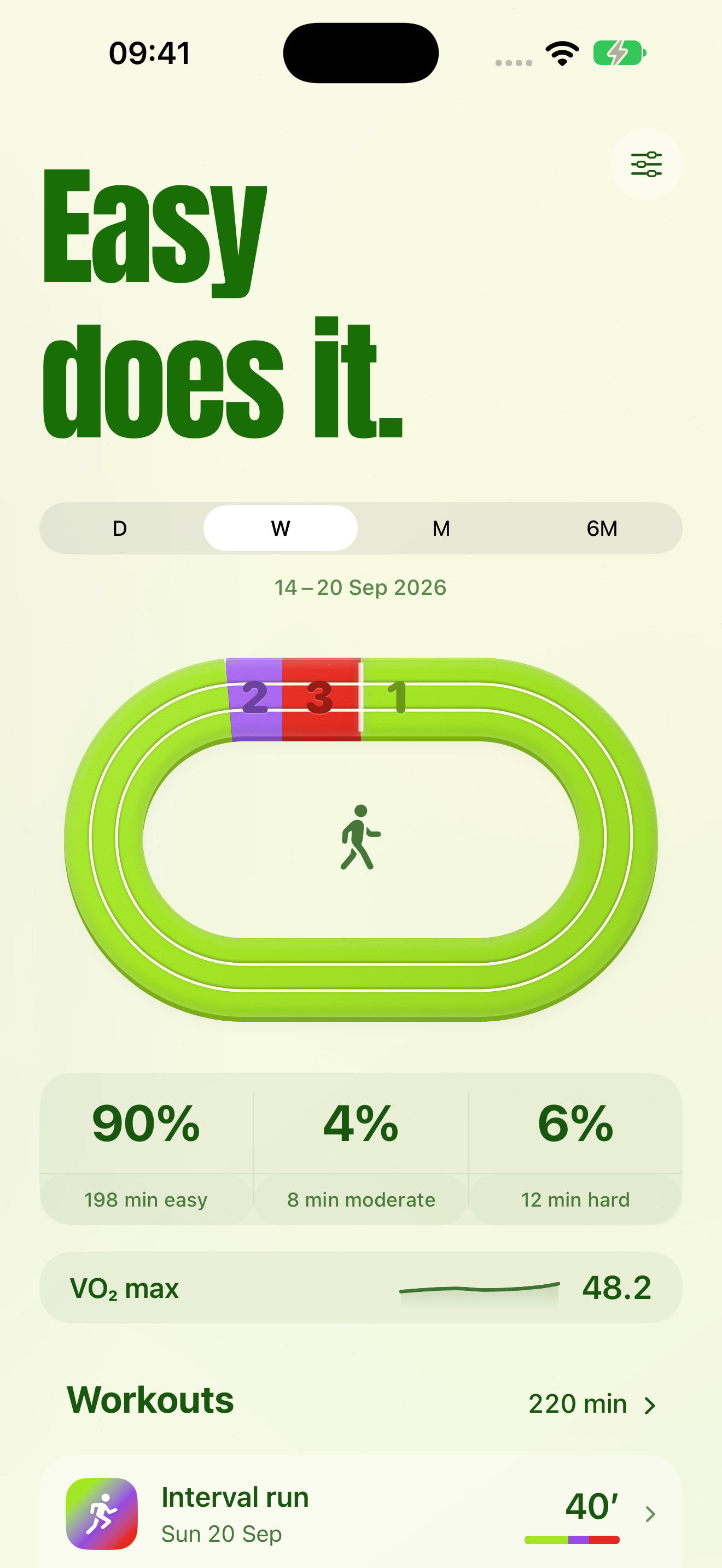
Same you.
Different atmosphere.
See your local weather while you check your training,
before you head out.
Why 80/20?
Endurance researcher Stephen Seiler helped popularise a pattern seen in successful endurance athletes: a lot of easy training, a smaller amount of hard work.
The idea behind the numbers
Often called polarized training, this approach puts most training below the first physiological threshold, with less in the middle and some above the second.
“80/20” is a useful shorthand, not a universal prescription. Seiler’s research often counts training sessions. Zonometry’s heart-rate view counts time in zones; those percentages won’t always match.
Three zones. One clear picture.
Easy, moderate and hard give your week a readable shape. Set your boundaries and targets in the app.
These are three training bands, not Apple’s five numbered zones. Looking for “Zone 2 training”? That term commonly refers to easy aerobic work in a five-zone system, while zone 2 in Seiler’s three-zone model is the middle band.
Less fuss.
More feeling good.
Free for iPhone.
iOS 17+